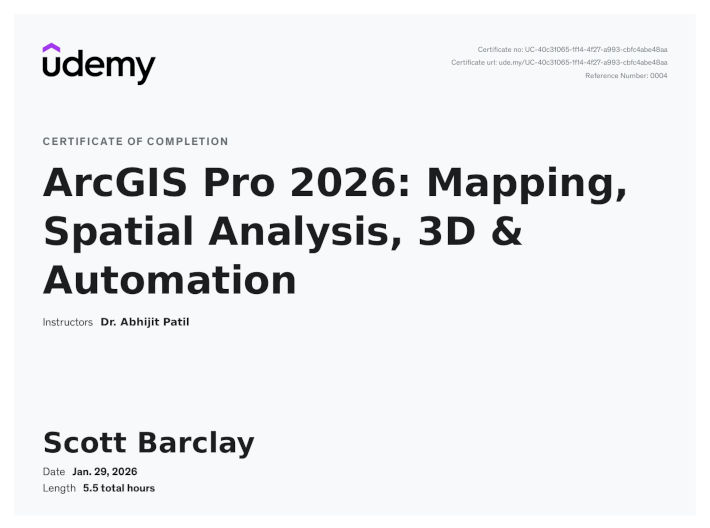
100% Complete
Description
“Unlock the full power of ArcGIS Pro 2026 with this hands-on, practical course! Learn to create stunning maps, perform advanced spatial analysis, work in 3D, and streamline your workflows. This course is designed for GIS users who know the basics and want to become true ArcGIS Pro experts—boosting efficiency, accuracy, and impact in every project.
We focus on learning by doing. Through real-world projects, you’ll master essential ArcGIS Pro skills—from georeferencing historical maps and managing spatial data to creating publication-quality layouts and visualizations. Along the way, you’ll get introduced to Python automation (ArcPy) for key tasks, giving you a taste of scripting without overwhelming your learning path.”
Full course description can be viewed by clicking here (Udemy).
What is GIS? Why ArcGIS Pro + ArcPy is a Game Changer (Concepts) ✅
Setting Up ArcGIS Pro: Trial, Download & Installation ✅
Getting Comfortable with ArcGIS Pro: Navigating the Interface✅
Getting Started with ArcPy: Installing & Running Your First Script (with ArcPy) ✅
Understanding Spatial vs. Non-Spatial Data (Concepts) ✅
Importing, Exporting, and Organizing Layers ✅
Automating the Import of 50 U.S. State Shapefiles (with ArcPy) ✅
Working with Geodatabases and Importing Feature Classes ✅
Creating and Managing Geodatabases (with ArcPy) ✅
Field Calculations and Attribute Table Editing (GUI + ArcPy) ✅
Understanding Georeferencing and Coordinate Systems (Concepts) ✅
Georeferencing a Historical USGS Toposheet: Staten Island, New York (1896) ✅
Hands-On Digitization: Points, Lines, and Polygons ✅
Creating Feature Classes and Adding Features (with ArcPy) ✅
Maintaining Accuracy: Topology Rules & Editing Tools ✅
The Art of Cartography: Symbology Principles (Concepts) ✅
Customizing Layer Symbology in ArcGIS Pro ✅
Applying Symbology (with ArcPy) ✅
Enhancing Maps with Living Atlas Layers ✅
Labeling Features and Expressions ✅
Dynamic Labeling and Expression (via ArcPy) ✅
Designing Professional Map Layouts Using Brazil Data ✅
Automating Map Layout Export (with ArcPy) ✅
Spatial Analysis: What, Why, and Where (Concepts) ✅
Buffer, Clip, and Intersect: Core Spatial Tools ✅
Automate Geoprocessing Tools (with ArcPy) ✅
Raster Analysis: Slope, Aspect, and Hillshade ✅
Automating Batch Raster Processing (with ArcPy) ✅
Understanding Attribute and Spatial Queries (Concepts) ✅
Selecting Features By Attribute ✅
Selecting Features By Attribute (with ArcPy) ✅
Selecting Features By Location ✅
Selecting Features By Location (with ArcPy) ✅
Understanding 3D GIS and LiDAR (Concept) ✅
Visualizing LiDAR Point Clouds in 3D ✅
Generating DSM, DTM & DEM from LiDAR ✅
3D Analysis Part-1: Elevation Profile, Steepest Path, Line of Sight ✅
3D Analysis Part-2: Viewshed & Volumetric Analysis ✅
Creating 3D Buildings from Height Attribute of Shapefile ✅
Introduction to ModelBuilder: Logic Without Code (Concept) ✅
Create & Automate Hydrology Model with ModelBuilder ✅
Automating Hydrology Workflow (with ArcPy) ✅